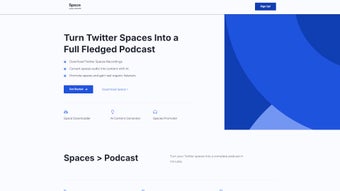

Download Space Make – Transform Twitter Spaces into Podcasts
Overview
Space Make is a web‑based SaaS that instantly converts live Twitter Spaces into polished podcast episodes. By capturing the audio stream, applying AI‑driven summarisation, extracting highlight clips, and even generating supporting blog posts or tweet threads, the platform turns fleeting social‑audio moments into evergreen content that can be distributed on any podcast directory. The service is built for creators of all sizes – from hobbyist podcasters who want to repurpose their Twitter conversations, to marketers and influencers looking for a quick way to extend their reach beyond the 140‑character limit.
Space Make offers a generous free tier that includes basic audio extraction and standard‑quality AI output, while the Pro subscription unlocks unlimited downloads, priority processing, higher‑bitrate audio, and advanced AI models for more nuanced summarisation. In this review we’ll explore the core feature set, walk through the onboarding process, examine platform compatibility, weigh the pros and cons, and answer the most common questions prospective users ask. By the end you’ll know exactly whether Space Make is the right addition to your podcast‑toolkit and how to get started with a secure, hassle‑free download.
Features, Installation & Compatibility
All‑In‑One Feature Set
- One‑click audio extraction from any public Twitter Space (free tier)
- AI‑generated episode summaries and highlight reels for social promotion
- Automatic creation of supporting assets – blog posts, show notes, tweet threads
- Export options for MP3, AAC, OGG and direct publishing to major podcast hosts
- Built‑in thumbnail designer, SEO‑friendly title generator, and share‑ready links
- Secure cloud storage with encrypted backups, retained for 30 days
- Unlimited downloads, priority queue, and higher‑fidelity audio for Pro users
- Cross‑platform web interface – no native app required, works on any modern browser
Installation & First‑Time Use
Because Space Make is a cloud‑native web app, there is no traditional software installation. Getting started takes under two minutes:
- Navigate to spacemake.com and click “Sign Up”. Register with an email address or authenticate via Twitter OAuth.
- Confirm your email (or OAuth token) to secure the account and link it to your Twitter handle.
- From the Dashboard, paste the URL of the public Twitter Space you wish to capture.
- Press “Download Audio”. The system streams the Space, converts it to a high‑quality MP3, and saves it in your personal workspace.
- Optional: Enable AI‑generation options such as “Summary”, “Highlights”, or “Blog Post”. Click “Generate” and receive ready‑to‑publish assets within seconds.
All actions occur within the browser, meaning you can switch between a laptop, desktop, or mobile device without re‑installing anything. The intuitive UI is designed for users who may not have any audio‑editing background, allowing you to focus on content rather than technical steps.
Operating System Compatibility
Space Make is completely platform‑agnostic. It runs flawlessly on Windows 10/11, macOS Ventura and later, popular Linux distributions (via Chrome or Firefox), as well as mobile browsers on iOS 15+ and Android 12+. The only requirement is a modern browser that supports WebAssembly and the latest JavaScript standards, ensuring a smooth experience on virtually any device.
Pros & Cons – An Objective Look at Space Make
Pros
- Speed: Audio capture and AI processing complete in seconds, far faster than manual recording.
- AI versatility: Generates summaries, highlight clips, and full‑text assets with impressive contextual accuracy.
- Zero‑cost entry: The free tier provides unlimited experimentation without requiring a credit card.
- Cross‑platform access: Works on any device with a browser, eliminating OS‑specific constraints.
- Promotion‑ready tools: Built‑in thumbnail creator and SEO‑optimized titles boost discoverability.
- Secure cloud handling: Encrypted storage protects audio files during processing and storage.
Cons
- Subscription for heavy use: Unlimited downloads and premium AI models are locked behind the $12/month Pro plan.
- Reliance on Twitter API: Any changes or rate‑limits imposed by Twitter can temporarily affect capture speed.
- No offline mode: An active internet connection is required for both download and AI generation.
- Free tier audio quality: Audio is limited to 128 kbps; high‑fidelity podcasts need the Pro upgrade.
- Limited customisation of AI output: While accurate, the generated text may need manual editing for highly technical jargon.
Frequently Asked Questions
Can I download private Twitter Spaces?
No. Space Make respects Twitter’s privacy settings and can only capture audio from public Spaces that are openly streamed.
Is the AI summarisation accurate for technical topics?
The AI model has been trained on a broad range of domains, including technology and science. It generally captures the main ideas well, but for highly specialised terminology you may want to edit the output.
How long are the generated podcast files stored?
Audio files and AI‑generated assets are retained for 30 days in the secure cloud. You can download them at any time within that window.
Do I need a Twitter account to use Space Make?
A Twitter account is optional for browsing public Spaces, but linking your Twitter profile simplifies the capture workflow and unlocks analytics for your own Spaces.
What payment methods are accepted for the Pro plan?
Space Make accepts major credit cards (Visa, MasterCard, American Express) and PayPal. Subscriptions are billed monthly and can be cancelled at any time.
Conclusion – Should You Download Space Make?
Space Make fills a clear gap in the creator ecosystem by turning transient Twitter audio into durable podcast episodes without the need for complex recording software. Its instant download engine, AI‑enhanced content generation, and built‑in promotional toolkit make it a compelling choice for anyone already using Twitter as a live‑audio channel. The free tier offers enough functionality to test the concept risk‑free, while the Pro plan scales gracefully for power users who need unlimited downloads, higher‑bitrate audio, and premium AI models.
If you are looking for a secure, browser‑based solution that saves you time, expands your content reach, and integrates seamlessly with existing podcast workflows, download Space Make today and start converting your Twitter conversations into podcasts that can be heard on any platform. The low‑entry cost combined with robust features means you can experiment without commitment and decide whether the subscription’s added benefits justify the price for your specific workflow.



.png)



